Weather Explained
Why is my backyard colder than the airport?
Nearby temperatures can differ for good reasons. Check timing, sensor exposure, wind and clouds before explaining a backyard–airport temperature gap.
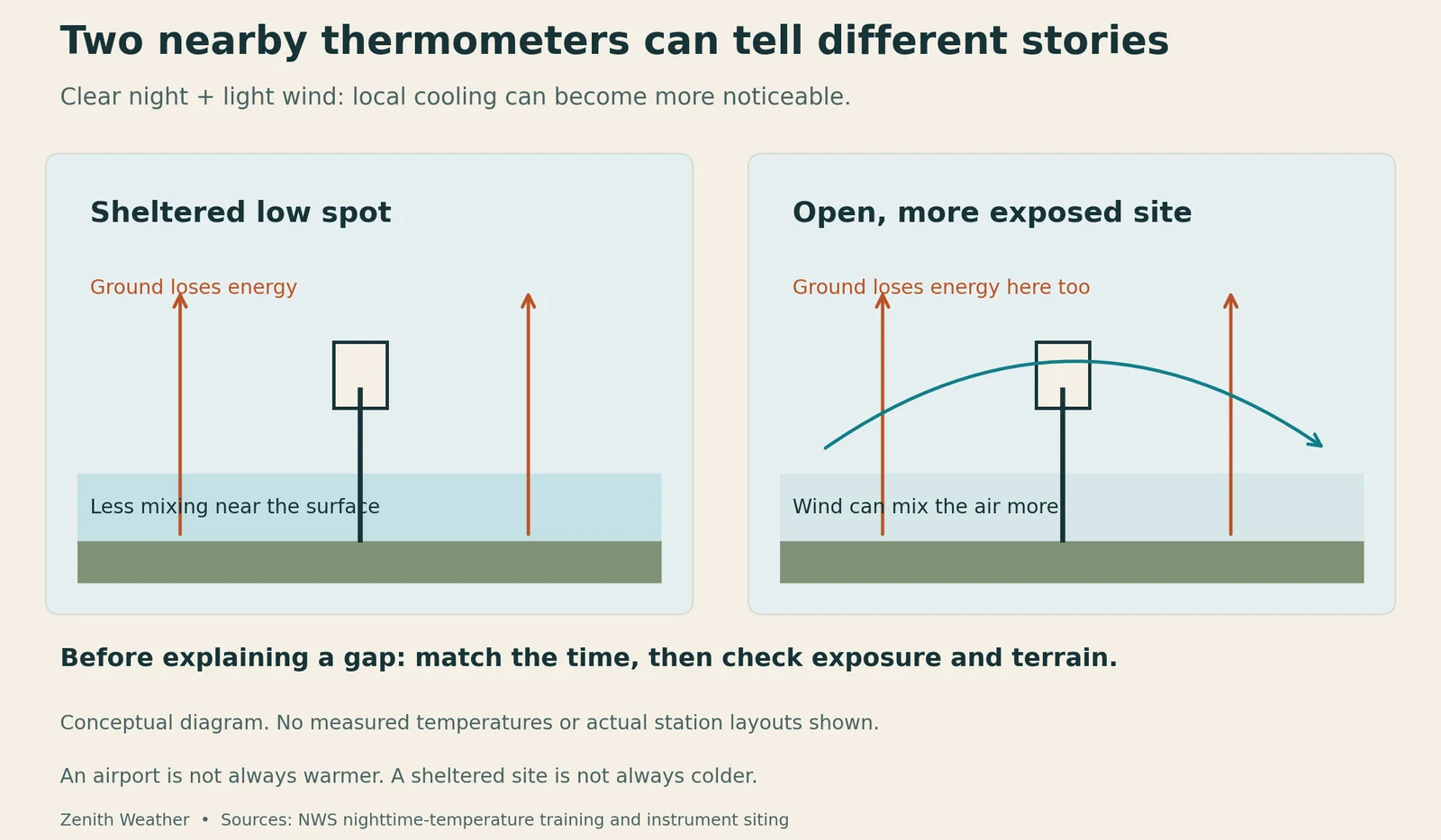
Your backyard can be colder than the airport because nearby places cool differently, especially on clear nights with light winds. Sensor placement and observation timing can also create a gap. A different number does not, by itself, tell you which thermometer is wrong.
Start with time. Compare observations made at the same moment, rather than the latest number from two sources that update at different intervals. A daily low is a different comparison again: each site may have reached its minimum at a different time.
A simplified explanation, not a drawing of two actual stations. Exposure can change nighttime mixing. The graphic does not establish the cause of any particular temperature difference.
A calm night can reveal local differences
After sunset, the ground loses energy by radiation and can cool the air near it. With light winds, that cooler air may remain near the surface instead of mixing readily with air above. Terrain can also help colder air collect in lower areas. Clouds and wind can change the rate and pattern of cooling.
These processes help explain why nearby sites may separate on one night and agree more closely on another. The NWS training on nighttime temperatures describes the roles of radiation, wind, and clouds. They are clues to examine, not proof of the cause at a particular backyard.
The airport thermometer is not a runway thermometer
An airport report is a reading at an observing site. It is not a measurement of the hottest patch of pavement, and it does not describe every neighborhood around the airport. Likewise, a backyard sensor represents its own setting.
Before blaming either number, check the environment around the instruments.
A thermometer near a wall, roof, or paved surface may represent a different environment from one over open ground. Height, shielding, and ventilation also matter. The NWS instrument-siting guidance shows how carefully exposure is controlled for its observing network. Use your own instrument's installation guidance when assessing a home setup.
Make a fair comparison
Use this sequence when the numbers disagree:
- Match the observation times. Check the actual timestamp and time zone, including whether one display is showing a daily minimum.
- Check the sensor's surroundings. Look at height, shielding, nearby buildings, vegetation and paving. Follow the manufacturer's siting guidance.
- Compare several hours. A line of readings is more useful than one screenshot. Keep missing intervals visible rather than drawing through them.
- Add weather context. Note changes in wind and cloud cover before deciding that terrain or instrument exposure explains the gap.
Look for a pattern
If the sites separate after sunset, check whether the gap narrows when wind increases or clouds arrive. That gives you a pattern to investigate on another night, with elevation and exposure in mind.
A consistent difference may deserve a sensor check. A difference that changes with wind and cloud cover may help reveal local weather. Neither pattern, on its own, proves an instrument is faulty.
“Which reading is right?” is often less useful than “what conditions does each reading represent?” That makes a station comparison an investigation rather than a contest.